AI PROMPT VAULT
PICK A REEL
Tap the reel you watched to get its exact prompt. Copy it, paste it into the tool, and make your own.
- NEW
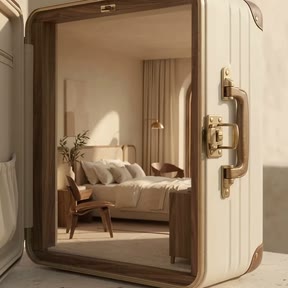 AUREL HOUSEHotel concept film · Gemini Omni FlashGET THE 2 PROMPTS →
 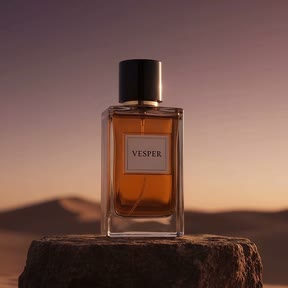 VESPERFragrance film · Gemini Omni FlashGET THE PROMPT →
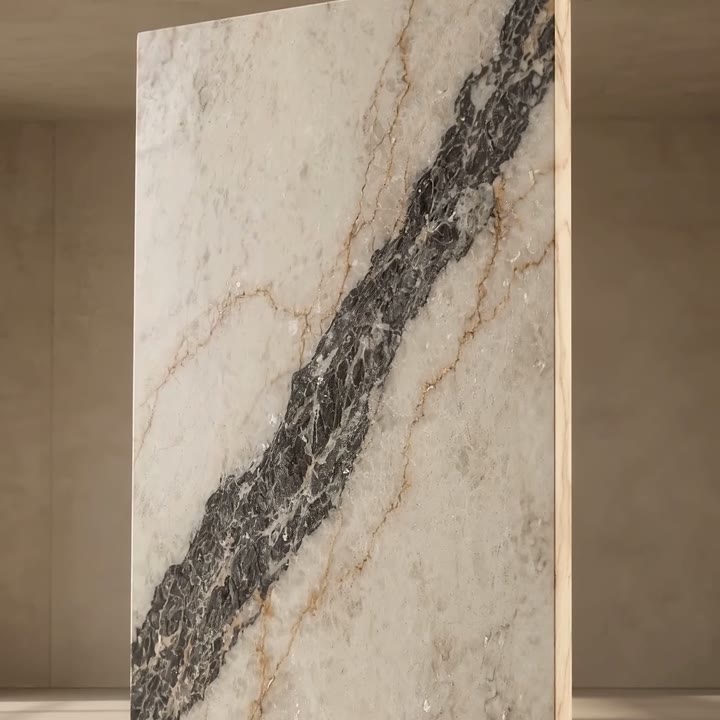 VENAMarble brand film · Gemini Omni FlashGET THE 3 PROMPTS →
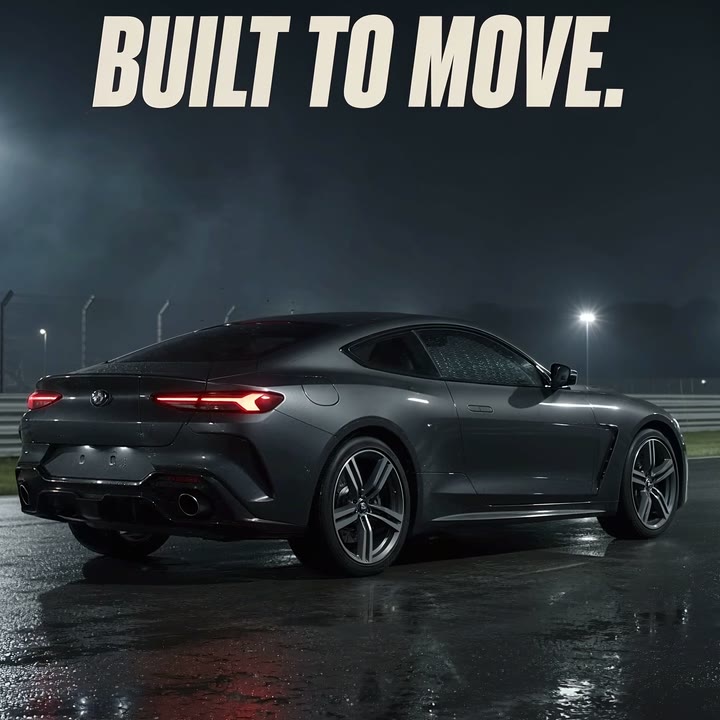 BUILT TO MOVECar edit · Gemini Omni FlashGET THE PROMPT →
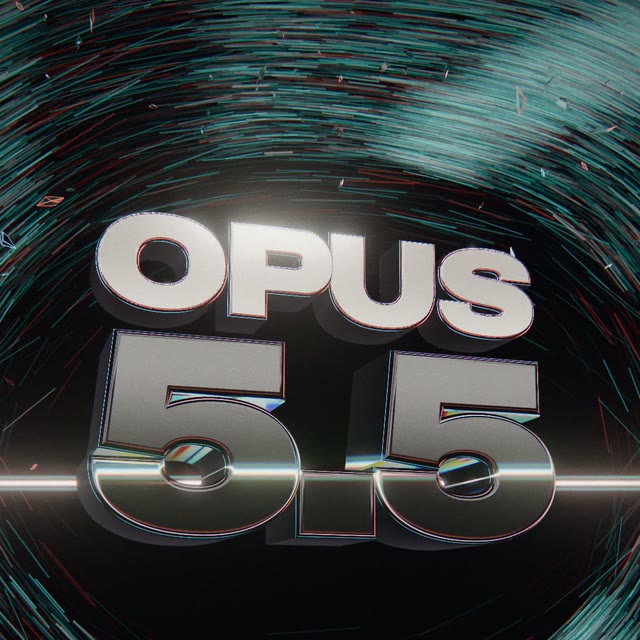 OPUS 5.53D motion film · Claude CodeGET THE PROMPT →
5 reels · 8 prompts. New reels are added at the top.
AUREL HOUSE · HOTEL FILM
THE 2 PROMPTS
A hotel concept film of about 20 seconds. Google Flow with Gemini Omni 1.1 Flash makes 10 seconds per prompt, so the film is two prompts, used in order.
HOW TO USE THEM
- Make one storyboard image for each prompt. I made mine with GPT Image 2.5 in the ChatGPT app. Each shows the four scenes with their timings, plus notes on the look, the camera and the audio.
- In Google Flow, attach a prompt's storyboard as the reference image, then paste that prompt and generate with Gemini Omni 1.1 Flash. Start with Prompt 1.
- Save the last frame of clip 1 and use it as the first frame of clip 2, then paste Prompt 2 with its storyboard. Prompt 2 is written to start from that saved frame.
- Optional polish: I stitched the two clips together and then upgraded the film to 60 fps, both with simple prompts to Gemini Argon 4 in the Gemini app on Android. Your results will differ, so check your own cut and describe what needs improving in your own words.
AUREL HOUSE and its tagline are fictional. Swap in your own resort name and tagline.
PROMPT 1 · THE SUITCASE
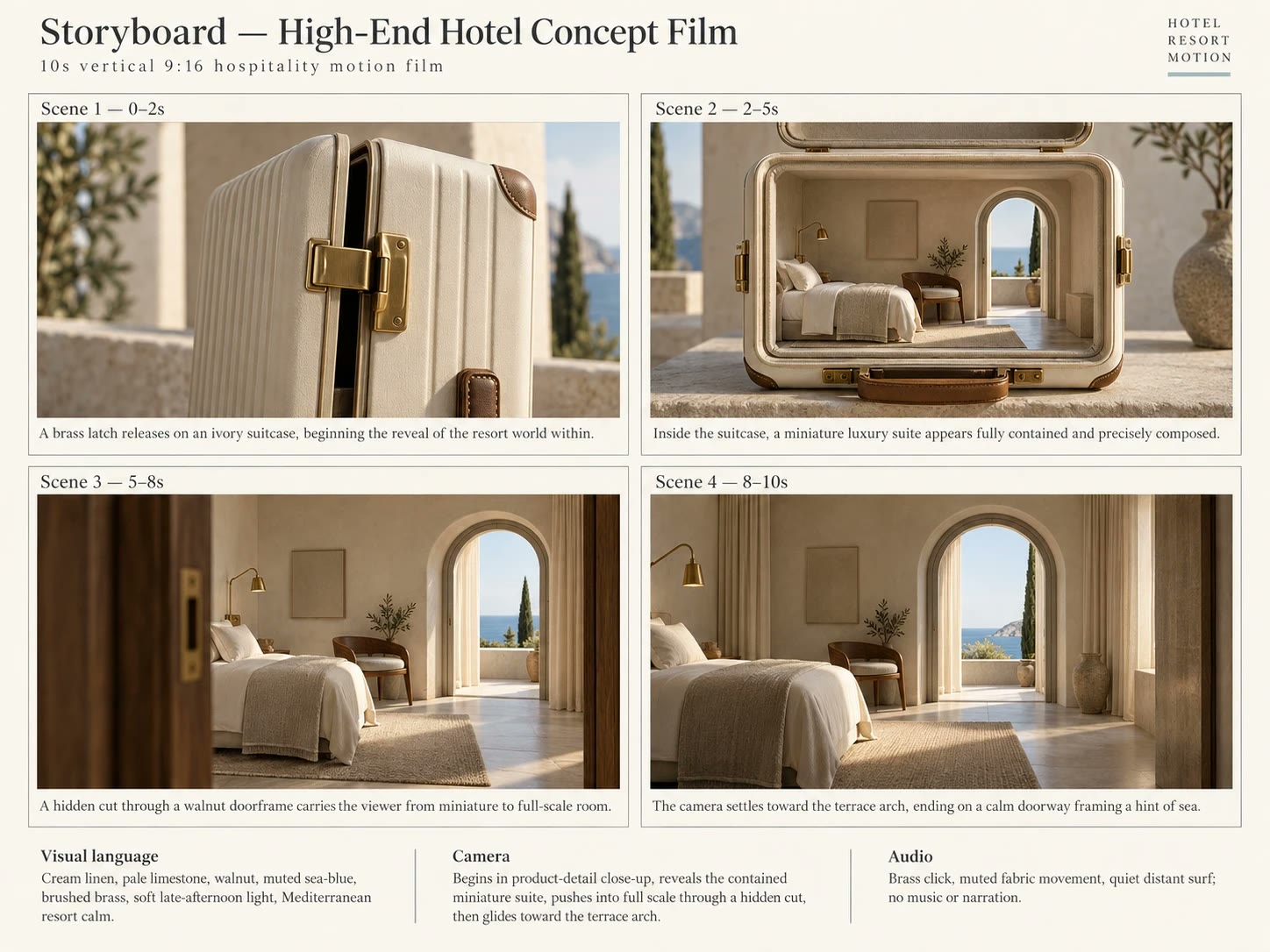
Storyboard 1 · tap to open it full size.
Generate a 10-second vertical 9:16 high-end hotel concept film, 24fps. A fictional Mediterranean resort called “AUREL HOUSE”. Cream linen, pale limestone, walnut, muted sea-blue and brushed brass. Soft late-afternoon light, accurate architectural scale, calm camera.
0–2s: Close-up of a single brass latch on an ivory hard-shell suitcase standing on a limestone plinth. The latch releases with one deliberate click; the lid opens slowly toward the left.
2–5s: Reveal a meticulously built miniature hotel suite inside the suitcase: one bed with cream linens, one curved walnut chair, a brass reading light and an arched terrace doorway. The miniature is physically contained inside the case; no growing furniture or floating walls.
5–8s: Push the camera into the room until the miniature fills the frame. Cross the change of scale with one hidden cut as a dark walnut doorframe passes across the entire lens. After the cut, the room is full-sized with identical layout and afternoon lighting.
8–10s: Glide toward the arched terrace doorway and stop with the arch centered, a sliver of sea visible beyond. Finish without text; hold the last 0.6 seconds for a clean continuation.
Audio: brass click, muted fabric movement, quiet distant surf. No music or narration. No humans, unrequested furniture, moving windows, impossible room expansion or exaggerated glossy materials. This is a fictional architectural concept, not footage of a real hotel.
PROMPT 2 · THE TERRACE
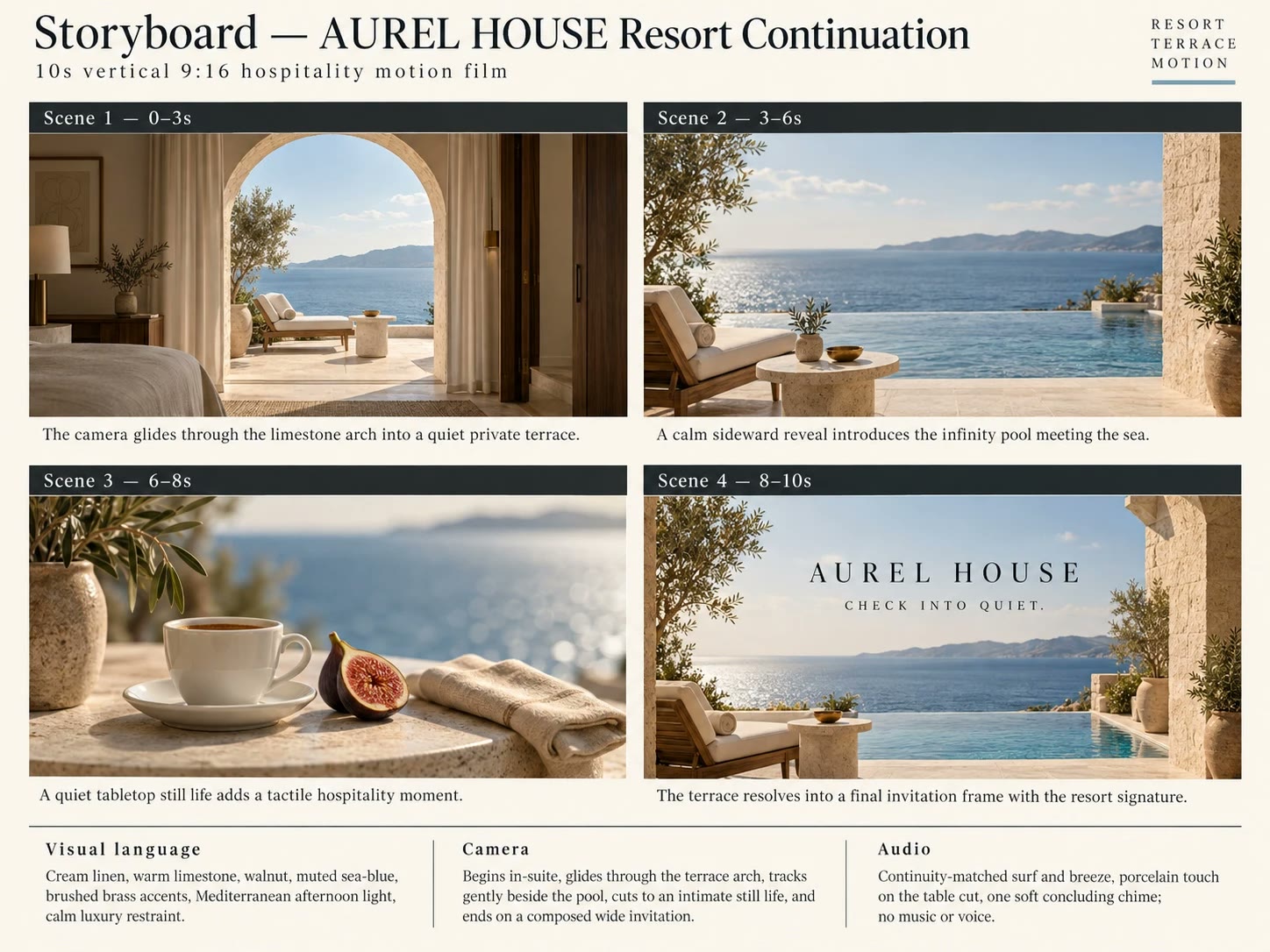
Storyboard 2 · tap to open it full size.
use this (last frame of the previous sequence) as the first frame of the video then create a 10-second vertical 9:16 continuation of a fictional luxury resort film, 24fps. Begin inside a cream-linen and walnut suite facing a centered limestone terrace arch. Match the attached start frame. Maintain Mediterranean afternoon light, warm stone, muted sea-blue and brass accents.
0–3s: Camera glides through the arch at human eye level. A quiet private terrace emerges with one linen lounge chair and a slim limestone table. Horizon stays level; no drone rise or rapid zoom.
3–6s: Track gently to the right, revealing an infinity-pool edge that visually meets the sea. Ripples travel slowly from left to right; architecture, horizon and shadows remain stable. Do not introduce guests or extra buildings.
6–8s: Cut to an intimate table still life: one porcelain espresso cup, one ripe fig cut in half and a neatly folded linen napkin. The sea becomes soft blue bokeh behind it. The cup is not the same object as any unrelated café ad.
8–10s: Cut to a composed wide terrace view. Display “AUREL HOUSE” in elegant spaced uppercase serif with the smaller line “CHECK INTO QUIET.” beneath. Hold for 1.5 seconds.
Audio: continuity-matched surf and breeze, porcelain touch on the table cut, a soft concluding chime. No music or voice, no room rates, amenity guarantees or booking website. Preserve the suite’s fictional design and avoid resort crowds, oversaturated water or shifting architecture.
VESPER · FRAGRANCE FILM
THE PROMPT
A 10-second luxury fragrance film from one prompt and one storyboard. Copy the prompt, then use the storyboard below as your reference image.
THE STORYBOARD
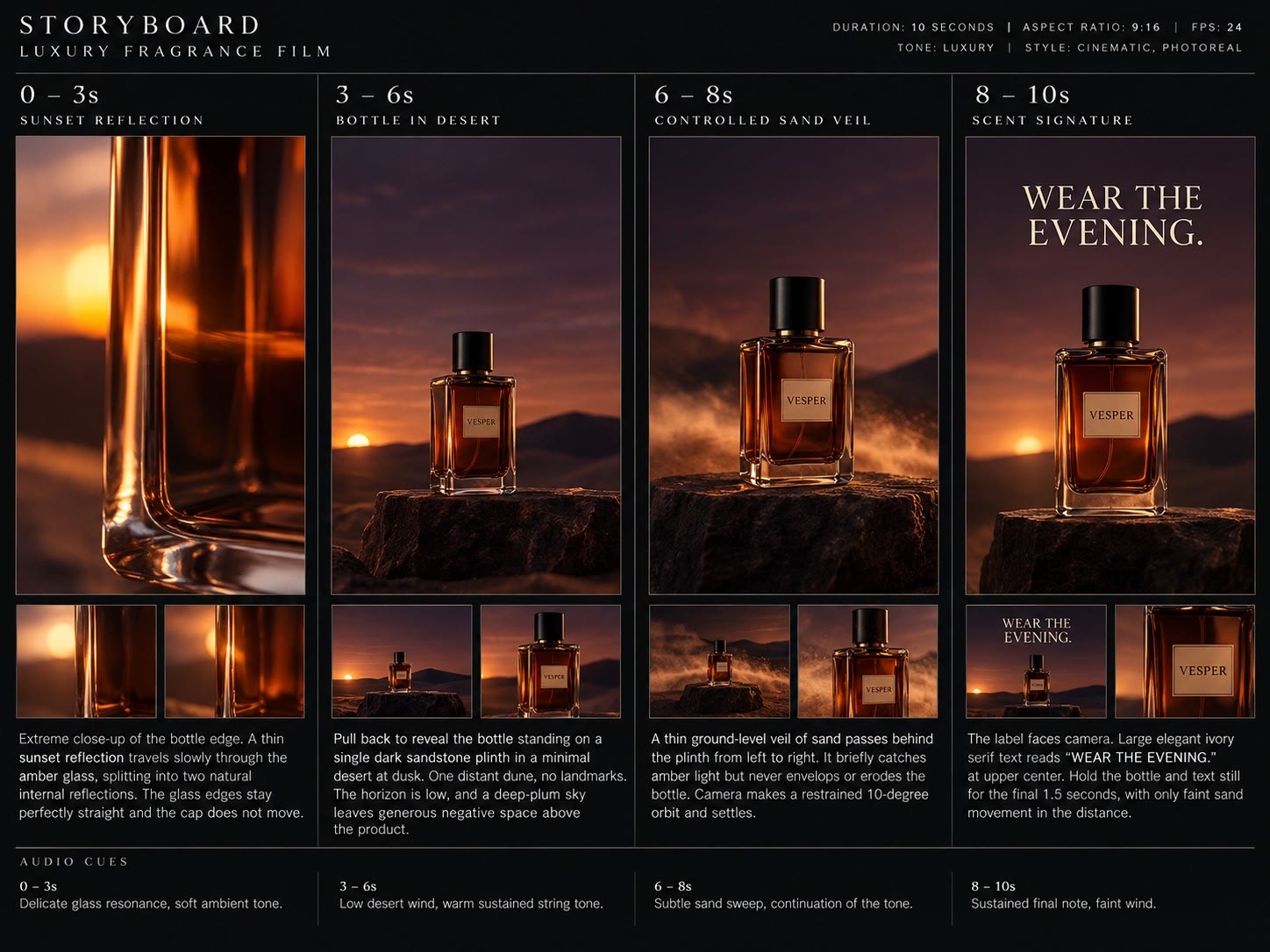
Tap the storyboard to open it full size.
HOW TO USE IT
- Make a storyboard first. Mine came from GPT Image 2.5 in the ChatGPT app: one panel for each time block of the prompt (0–3s, 3–6s, 6–8s, 8–10s), with the format and the audio cues written underneath.
- In Google Flow, attach the storyboard as the reference image, paste the prompt and generate with Gemini Omni 1.1 Flash.
- Swap in your own product. VESPER and "WEAR THE EVENING." are fictional, so change the label, the tagline and the colours to match your brand.
- Optional polish: I upgraded the finished clip to 60 fps with Gemini Argon 4 in the Gemini app on Android, using a simple prompt. Your results will differ, so check your own clip and describe what needs improving in your own words.
One prompt is enough here. The film is exactly 10 seconds, so there is nothing to stitch.
THE PROMPT
Generate a 10-second vertical 9:16 luxury fragrance film, 24fps. One rectangular amber-glass perfume bottle with a heavy clear base, black cylindrical cap and a small ivory label reading “VESPER”. Sandstone, burnt amber, deep plum and black. Elegant 85mm product lens, shallow depth of field, no humans.
0–3s: Extreme close-up of the bottle edge. A thin sunset reflection travels slowly through the amber glass, splitting into two natural internal reflections. The glass edges stay perfectly straight and the cap does not move.
3–6s: Pull back to reveal the bottle standing on a single dark sandstone plinth in a minimal desert at dusk. One distant dune, no landmarks. The horizon is low, and a deep-plum sky leaves generous negative space above the product.
6–8s: A thin ground-level veil of sand passes behind the plinth from left to right. It briefly catches amber light but never envelops or erodes the bottle. Camera makes a restrained 10-degree orbit and settles.
8–10s: The label faces camera. Large elegant ivory serif text reads “WEAR THE EVENING.” at upper center. Hold the bottle and text still for 1.5 seconds, with only faint sand movement in the distance.
Audio: delicate glass resonance, low desert wind and an original warm sustained string tone. No voice, copyrighted melody, ingredient claims or longevity promises. No smoke emerging from the liquid, cap explosion, glitter, multiplying bottles, distorted type or excessive luxury props.
VENA · MARBLE FILM
THE 3 PROMPTS
A 30-second luxury marble film. Google Flow with Gemini Omni 1.1 Flash makes 10 seconds per prompt, so the film is three prompts, used in order.
HOW TO USE THEM
- Make one storyboard image for each prompt. I made mine with GPT Image 2.5 in the ChatGPT app, one per prompt, so the three clips share the same stone and the same look.
- In Google Flow, attach a prompt's storyboard as the reference image, then paste that prompt and generate with Gemini Omni 1.1 Flash. Start with Prompt 1.
- Save the last frame of clip 1 and use it as the first frame of clip 2, then paste Prompt 2 with its storyboard. Do the same from clip 2 to clip 3 with Prompt 3. Prompts 2 and 3 are written to start from that saved frame.
- No storyboards? You can skip them and attach an approved slab image as the texture reference instead. Without either, the prompts fall back to a charcoal diagonal vein with three fine gold branches.
The label VENA is fictional. Use your own brand name and tagline in Prompt 3.
STITCH AND REFINE
I joined the three clips into one 30-second reel and smoothed it in the Gemini app, using the Argon 4 model in task mode. I asked for 60 fps, smooth zoom-in and zoom-out transitions, and joins between clips with no flicker, morphing or glitching. I did all of it with simple, everyday prompts.
It took a few rounds. First I asked for smoother transitions and a cleaner opening and ending. Then I named the exact seconds that still looked wrong: a glitchy, morphing marble during one zoom-out, and a zoom-in that stuttered. Asking for only those fixes worked best.
Your clips will come out differently, so watch your own cut, note the seconds that need fixing and describe them in your own words. Someone else may find better wording than mine. Treat this as a starting point.
PROMPT 1 · THE SLAB
Generate a 10-second vertical 9:16 luxury natural-marble brand film, 24fps. Fictional label “VENA”. Museum-grade restraint, monumental scale, ivory calcite, charcoal veining, fine warm-gold branches, sand-colored architecture. Stone must remain real, heavy and solid. Use an attached approved slab image as the exact texture reference; otherwise maintain one charcoal vein running diagonally from lower left to upper right with three fine gold branches.
0–3s: Extreme macro tracking along that dark vein, lit with low raking light. At first it resembles an aerial canyon. Show crystalline mineral detail and a subtle polished reflection, not actual trees or water.
3–6s: A slow pullback reveals the vein belongs to one vertical rectangular marble slab inside a silent, vast beige gallery. The slab is 70 percent of frame height. A thin edge highlight establishes its thickness and weight.
6–8s: The slab rises only a few centimeters above a matching plinth, an explicit surreal display gesture. A narrow shadow gap opens beneath it. No crumbling, bending or molecular effects.
8–10s: Dolly toward the diagonal vein again until it crosses the frame from lower left to upper right. End with this texture and orientation stable for 0.6 seconds; no text.
Audio: restrained low stone resonance, quiet room tone, one fine mineral tick. No voice or music. No gold glitter, mountain explosion, quarry provenance claim, valuation claim or fake certification. Preserve the exact vein pattern across every scale.
PROMPT 2 · THE DOORS
Use this Saved frame from Marble brand film production as the first frame of this video and then create the second 10-second vertical 9:16 clip of the VENA marble film, 24fps. Begin close on ivory marble with one charcoal diagonal vein and three fine warm-gold branches, matching the attached starting frame and approved slab reference. Same sandy-beige gallery and restrained warm light.
0–3s: Pull back to reveal two rigid, thick marble panels standing apart like monumental doors. Their faces are a deliberate mirrored bookmatch of the original vein, not a newly randomized texture. The space between them reveals a dark interior.
3–6s: Both panels slide laterally toward each other with heavy, controlled motion, aligning into one symmetrical feature wall. Camera remains centered and level. Reflections change with lighting only; the veins do not crawl.
6–8s: A very narrow vertical warm-light gap opens in the center. Camera begins a slow push toward it. The stone panels slide back apart without changing scale or material.
8–10s: The opening widens into a full doorway revealing a quiet luxury interior: one broad marble island and a distant window. End centered in the doorway, with the island visible but still far away. Hold the last 0.6 seconds; no typography.
Audio: subtle heavy stone glide, a deep restrained architectural resonance and quiet room ambience. No grinding destruction, music or narration. Keep straight edges, consistent thickness and mirrored veining. No dissolving marble, random ornaments, new colors or unsupported durability claims.
PROMPT 3 · THE ROOM
Using this Saved frame from Marble film production clip as the first frame of the video ,generate the final 10-second vertical 9:16 VENA natural-marble commercial clip, 24fps. Start centered in a monumental marble doorway looking toward a single island inside a warm, quiet luxury interior. Match an attached start frame and the approved ivory slab with charcoal diagonal vein and three fine gold branches.
0–3s: Camera glides through the doorway toward the island. The original vein runs coherently across its waterfall edge. Natural morning-side light reveals polish without mirror-like glare. No people.
3–6s: Cut to a close-up of the waterfall corner: precisely mitered edges, believable 20–30mm visual thickness and the same continuous vein. A soft rectangular light reflection travels across the surface as the camera tracks 15cm; the pattern itself stays fixed.
6–8s: Cut back to a wide architectural hero. One sculptural walnut chair and one small ceramic vessel provide scale. The stone remains the dominant visual, no busy gold decor.
8–10s: A soft ivory panel wipes up from below to a minimal end card. Exact text: “VENA” in a refined high-contrast serif, then “WRITTEN IN THE EARTH.” in small spaced sans-serif. Hold for 1.5 seconds with a faint shadow of the diagonal vein behind the title.
Audio: quiet architectural room tone, one clean mineral chime and a restrained low closing note. No music bed or narration. Do not add claims about origin, sustainability, strength, longevity, company value or clients. Maintain the slab identity and elegant visual restraint.
BUILT TO MOVE · REEL
THE PROMPT
The exact prompt behind the car edit, made with Gemini Omni 1.1 Flash in Flow Studio. Copy it, paste it, generate.
THE STORYBOARD
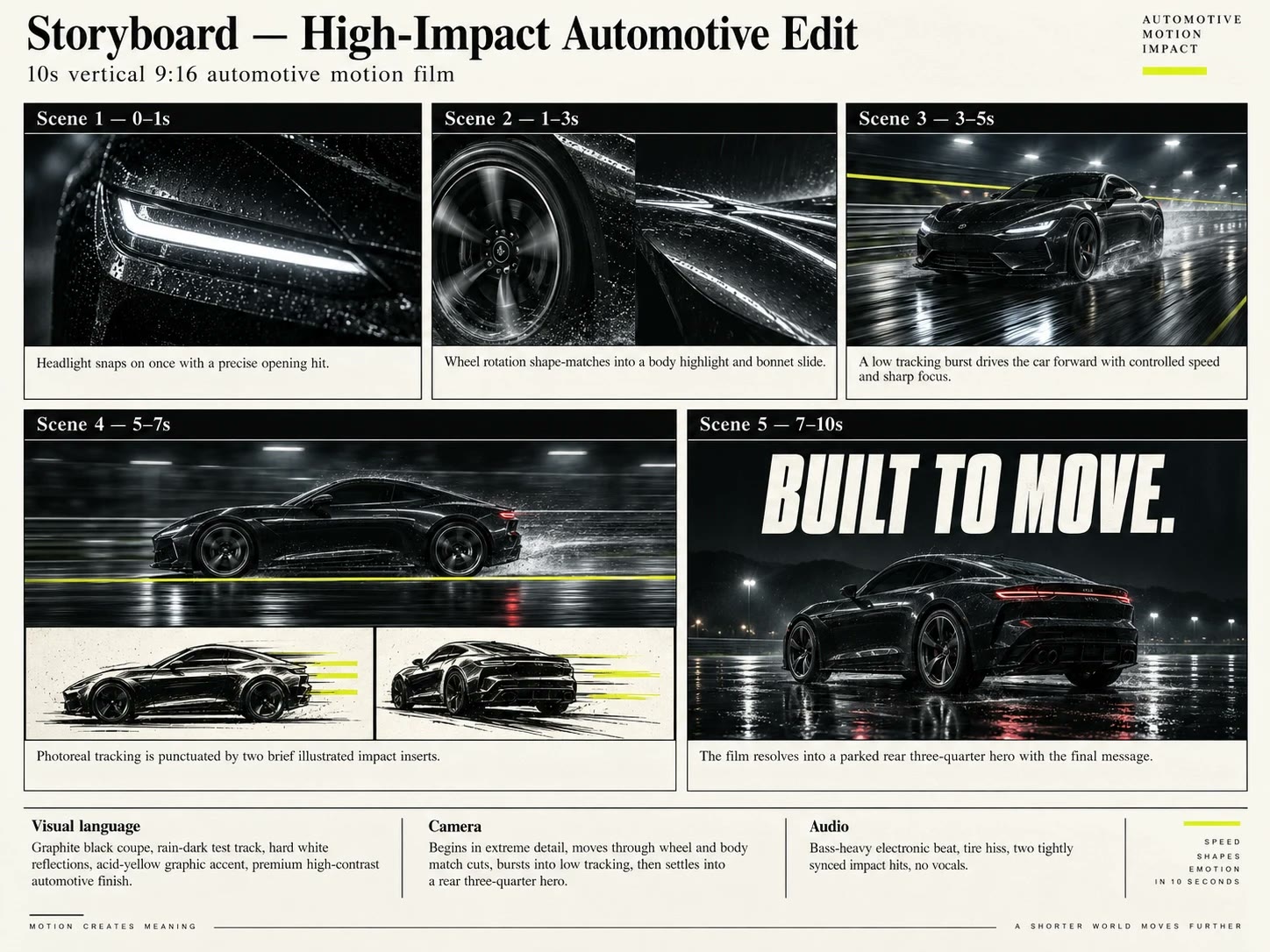
Tap the storyboard to open it full size.
HOW TO USE IT
- Make a storyboard first. Mine came from GPT Image 2.5 in the ChatGPT app: one panel for each shot of the prompt, with the visual language, the camera and the audio written underneath.
- In Flow Studio, first set the format to 9:16 and the length to 10 seconds. Then select Gemini Omni 1.1 Flash, attach the storyboard as the reference image, paste the prompt and generate.
- Optional: also attach reference images of your own car design. The prompt says to use approved references when supplied.
Want a different look? Change the car, the track or the yellow accent in the first paragraph. Keep the second-by-second timeline.
THE PROMPT
Generate a 10-second vertical 9:16 high-impact automotive edit, 24fps. One fictional graphite-black two-door coupe with a fixed low roof, broad rear haunches, five-spoke wheels and thin white LED headlights. Use attached approved vehicle references when supplied. Rain-dark closed test track, hard white reflections and a single acid-yellow graphic accent. No people or other vehicles.
0–1s: Extreme headlight close-up. The LED snaps on once with a precise bass hit. No repeated flashing.
1–2s: Hard cut to a rotating front wheel, camera parallel to the rim; correct wheel geometry and grounded tire.
2–3s: Shape-match cut to a curved body-panel highlight, then a rapid but smooth slide along the bonnet.
3–5s: Low front three-quarter tracking shot on the closed track. Speed-ramp from slow into a short burst, keeping the car sharp and the road blurred in one consistent direction. No drifting.
5–5.12s: One graphic impact insert: an original black-and-ivory ink drawing of this exact car silhouette with three acid-yellow speed strokes. Then return immediately to photoreal imagery.
5.12–7s: Side tracking shot; a yellow line races along the bottom edge. At 6.8s, a second brief drawn silhouette insert matches the pose. No further flashes.
7–10s: Car settles into a parked rear three-quarter hero, wet track reflecting its shape. Show only “BUILT TO MOVE.” in heavy condensed ivory type, then hold from 8.3s.
Audio: original bass-heavy electronic beat, tire hiss, two tightly synced impact hits. No vocals or copyrighted track. Avoid geometry drift, unreadable cut spam, chromatic-aberration haze, explosions, flames and extreme strobing.
OPUS 5.5 · REEL
THE PROMPT
The exact prompt behind the reel, sent to Claude Code as a single message. Copy it, swap in your own song, paste.
HOW TO USE IT
- Paste it into Claude Code. It calls the HyperFrames skills, so have those installed.
- Replace
[path to your song]with your own track. - Different song? The song map and act timings were measured from this track. Swap in yours, or ask Claude to measure your track and adapt them.
The lyric typography came from one follow-up message with the song's lyrics.
THE PROMPT
You are the world's best 3D motion designer and creative technologist, and this is your showreel piece. Turn the song below into a 32-second, fully 3D, audio-driven motion graphics video that people replay frame by frame. Use your full capability: maximum effort, no shortcuts, no placeholder visuals, no "good enough". Generic is failure.

## Inputs
- Song: `[path to your song]`. It is actually an MP3 (128 kbps, 44.1 kHz stereo, 32.29 s) despite the .mpeg extension. Copy it into the project as `audio/song.mp3`; never modify the original.
- Theme/title: "OPUS 5.5". Original typography and forms only: no official logos or brand marks.
- Format: 1080×1920 vertical (9:16), 60 fps, exactly 32.29 s, H.264 MP4 with AAC 320 kbps audio.
- Project folder: create `C:\Users\[you]\Videos\opus-55-motion\` (outside OneDrive).

## Tooling
Build it as a HyperFrames composition. Start with the `/hyperframes` skill and load whatever it routes to: at minimum `hyperframes-core`, `hyperframes-animation` (Three.js adapter), `hyperframes-keyframes`, `hyperframes-creative`, `hyperframes-registry` (search it before hand-building post effects such as chromatic aberration, grain or glitch) and `hyperframes-cli` for check, snapshot and render. Confirm rendering uses GPU WebGL, not software rendering (SwiftShader). If it can't, scale the scene down to keep renders practical and tell me.

## Measured song map (verify; don't trust blindly)
These were measured from the audio and are accurate to about ±30 ms. Confirm them with `hyperframes beats` and your own onset analysis, and snap every event to the real transients.

| Time (s) | Section | What the audio does |
|---|---|---|
| 0.00–1.90 | Cold open | Two sub-bass impacts at 0.21 and 1.18, then it falls away |
| 1.90–11.89 | Intro, free time | Quiet (about −17 dB), no sub-bass, mid-range only, no steady pulse; soft accents at about 4.41 and 4.92; swells gently from about 10.5 |
| 11.89 | BASS ENTERS | First downbeat of the groove |
| 11.89–22.29 | Groove, 4 bars | 92.3 BPM (beat 0.650 s, bar 2.600 s). Downbeats at 11.89 / 14.49 / 17.09 / 19.69. Kick pattern in every bar: downbeat, +0.975 s, +1.300 s |
| about 16.0–16.9 | Bass dropout | Sub-bass vanishes for about a beat, then slams back at 17.09 |
| 22.29 | THE DROP | Loudest section (about −11 dB); sub-bass is 60–75 % of the energy |
| 22.29–31.88 | Drop, about 4 bars | Downbeats at 22.29 / 24.89 / 27.49 / 30.09, same kick pattern; 16th-note stutters at about 24.06→24.38, 26.17→26.33, 27.96→28.28, 29.26→29.58 and 30.23→30.56 |
| 31.88 | Hard stop | Last hit; the music cuts to silence |
| 31.88–32.29 | Silence | Final frame holds |

Also transcribe the track (`hyperframes transcribe` or equivalent). If it has vocals, the key words become 3D kinetic typography landing exactly on their syllables. If it's instrumental, the only words on screen are "OPUS" and "5.5".

## Creative direction: "A mind assembling itself"
- **Act I, Genesis (0–11.89):** Two impacts in a black void. At 0.21 a single point of light detonates into a shockwave ring; at 1.18 the camera punches through it. Then comes a slow, weightless, macro journey through a crystalline neural lattice of glass and liquid-chrome fragments drifting into formation, with volumetric light shafts and shallow depth of field. Motion follows the smoothed mid-band, not a grid: no cuts, it breathes. From 10.5 s everything inhales: fragments converge, light pulls in and the camera retreats, peaking in tension at 11.85.
- **Act II, Ignition (11.89–22.29):** The bass entry is a detonation. The lattice locks into a rhythmic megastructure (a tunnel, monolith array or folding architecture) that physically reacts to each kick with camera punch-ins, shape morphs and light pulses. Each of the 4 bars gets its own variation, so the act escalates. At the dropout (about 16.0) time almost freezes: debris hangs in zero gravity and rotates slowly, then everything re-slams at 17.09. Bar 4 (19.69–22.29) is the build: speed, density and camera velocity ramp up and the colour heats. It climaxes in a white-hot implosion just before 22.29.
- **Act III, Berserk (22.29–31.88):** Everything at once, still readable. Monumental extruded "OPUS 5.5" typography in chrome and glass shatters and re-forms, with particle hurricanes (GPU instanced, 100k or more), kaleidoscopic and orbital cameras, and inversions. Every downbeat brings a new camera angle or scene; every stutter is a frame-accurate snap (scale, RGB split, displacement). Each bar tops the one before:
  1. Reveal.
  2. Orbit and multiply.
  3. Palette inversion, turning inside out.
  4. Total overload.

  At 31.88 everything collapses into a single glowing "5.5", then hard-cuts to a clean final title held through the silence.

## Look bible
- **Palette:** void black #07070A, warm ivory #F4EFE6 and ember coral #E8673C as the hero light. Use electric cyan #3DF5FF only in the drop, as a contrast accent. No rainbow gradients.
- **Materials:** physically based chrome, iridescent and refractive glass (transmission), emissive wire edges and volumetric fog. Use a procedural HDR environment for real reflections and filmic tone mapping (AgX or ACES).
- **Post:** bloom (thresholded, not a haze), chromatic aberration on impacts, film grain, vignette, depth of field and motion blur on fast moves. Seed all noise by frame number.
- **Typography:** one heavy, wide display typeface with an open licence, with its font files bundled locally. Extrude and bevel it in 3D and kern it by hand. Hold any word that must be read for at least 0.5 s.
- **Influences:** the precision of ManvsMachine, the energy of Tendril and the ambition of a Houdini R&D reel. Borrow their standards, not their designs.

## Craft rules (non-negotiable)
1. **Sync:** every major visual event lands within 1 frame of its transient. Impacts get 2–4 frames of anticipation, then overshoot and settle; camera shake decays exponentially.
2. **Pre-baked audio reactivity:** extract per-frame RMS, sub (<80 Hz), bass, mid, high and onset strength into a JSON file, then drive shader uniforms by frame index. Use no live Web Audio analyser and no `requestAnimationFrame` or clock-based time. Every frame must render identically however it is reached.
3. **Performance:** use instanced meshes and GPU-side particles, and keep every frame renderable on a consumer laptop GPU.
4. **Vertical safe zones:** keep key type out of the top 220 px and bottom 380 px, where Reels shows its interface.
5. **Photosensitivity:** allow no more than 3 full-screen flashes in any 1-second window. Use colour and exposure punches instead of pure white strobes.
6. **Banned:** default primitives on default materials, torus knots, MeshNormalMaterial, unlit flat shapes, system fonts, stock "screensaver" particles and camera wobble with no motivation.

## Process
1. Read the skills and verify the beat map and transcription. Then write `DESIGN.md` with the concept, look bible, and a shot list giving frame-exact timestamps for every section, downbeat and stutter.
2. Build a look-development proof of the drop (22.29–24.89) first. Snapshot 6 frames, critique them like a ruthless creative director, and rebuild until the result is genuinely spectacular. Only then build the rest.
3. Build the full timeline. Run `check` until it passes cleanly.
4. Render a contact sheet: one frame per downbeat, plus 0.21, 1.18, 11.89, 16.4, 22.29, 31.88 and the final frame. Score each frame out of 10 for impact, sync, readability and polish, and rebuild anything below 9. Do at least two full critique passes.
5. Render the final MP4. Verify its duration, resolution, frame rate and audio sync; the visuals at 11.89 and 22.29 must line up exactly with the audio.
6. Report the output path, what you built in each act, the scores and the remaining weaknesses, honestly. Don't claim something works unless you have rendered it and looked at it.

Ask me nothing up front. Make bold choices, record them in DESIGN.md, and go.